
Everything is running smoothly. Invoices come in, the system reads them, data lands in the ERP. What used to take hours now takes minutes.
Then one invoice breaks the flow.
A supplier who changed their format. A tax rule that only applies in certain countries. An internal validation logic that has grown over years — and that no standard tool in the world knows about. The document ends up on someone’s desk. Someone corrects it by hand. And that’s the moment you ask yourself: wasn’t this exactly the point where automation was supposed to kick in?
This scenario is not an edge case. It is one of the most common frustration points for companies that have already started to automate document processing — and still can’t fully let go of manual work.
Modern systems can do a lot. They recognize document types, extract fields, and apply basic validation rules. But they only know one truth: the general one.
The reality inside most organizations looks different. Individual supplier structures, grown accounting logic, custom approval chains — none of this fits neatly into predefined rule sets. Companies that try end up fighting exceptions every day that shouldn’t be exceptions at all. They’re just normal business.
The result is lost time, frustration, and a quiet erosion of trust in the automation itself.
This is where DocBits Document Scripts come in. Instead of adapting your process to fit the software, the software adapts to your process.
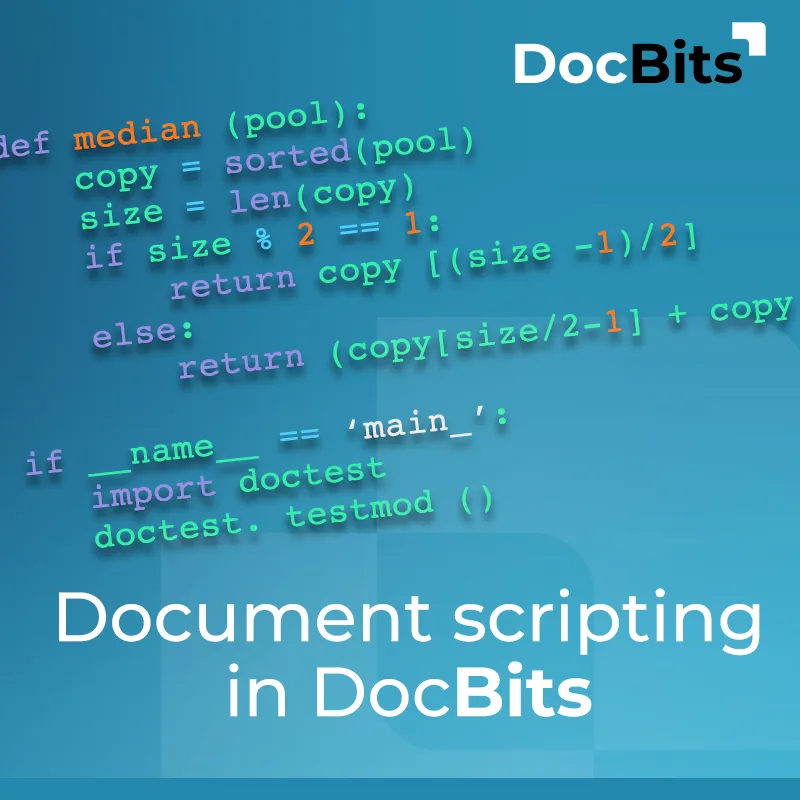
Document Scripts are Python-based scripts that integrate directly into the document workflow and run automatically at the right moment — in the background, without interruption, without external middleware.
mounts, tax codes, mandatory fields — everything is checked against internal requirements before a single error reaches the ERP. No manual follow-up, no back-and-forth with the accounting team.
Date formats, currency values, supplier data — what someone used to fix by hand is now normalized automatically by the script. Define it once, and it just runs.
VAT rules that vary by country or contract type. Fields that are calculated from multiple source values. Business logic that no standard tool has ever heard of. Document Scripts can handle all of it.
Inconsistencies are detected and resolved before data is passed downstream. What arrives in Infor LN, Infor M3, or CloudSuite is clean, consistent, and ready to process — no manual intervention needed.
One of the most practical advantages of Document Scripts is timing. Scripts can be triggered on specific events within the workflow — right after data extraction, when saving a document, when a field is manually changed, or just before the ERP transfer.
That means invoice validation automation doesn’t run blindly across every document. It runs precisely where and when it’s needed — targeted, efficient, and fully in your control.
At the end of the day, what matters is what changes in daily operations.
Fewer documents that need manual correction. Shorter processing times for invoices and purchase orders. Fewer errors that only surface inside the ERP — when it’s already too late to fix them quickly. And a finance team that can focus on the work that actually requires human judgment.
Companies that implement custom business rules in their document processing report measurable results: lower error rates, faster approval cycles, and significantly better data quality flowing into their financial systems.
That’s the real value of moving from standard document workflow automation to something that truly reflects your business reality.
Off-the-shelf solutions are a solid starting point. But for companies that want to fully automate document processing — without exceptions, without manual gaps — the ability to bring in custom logic makes all the difference.
Document Scripts in DocBits make exactly that possible: more control over your workflow, less manual data entry, and higher data quality. All without touching the core platform.
Document Scripts are Python-based scripts that integrate directly into the DocBits document workflow. They run automatically during document processing and allow organizations to implement custom logic — such as invoice validation automation, data corrections, or custom business rules — without relying on external tools or middleware.
Document Scripts are especially valuable for finance and AP teams, operations managers, and IT decision-makers who need to automate document processing beyond what standard configurations allow. If your team regularly handles exceptions manually, Document Scripts are built for your situation.
Scripts are written in Python. Basic Python knowledge is sufficient for straightforward validations and corrections. For more complex custom business rules, collaboration with a technical team member or the DocBits implementation team is recommended.
Standard validation rules check general fields and formats — they apply the same logic to every document. Document Scripts go further: they implement the specific business logic of your organization, react to individual triggers in the workflow, and can not only validate data but also automatically correct and enrich it.
Yes. Document Scripts are natively integrated into the DocBits platform, which in turn connects natively with Infor LN, Infor M3, and CloudSuite. Data is validated, normalized, and enriched before the ERP transfer — ensuring clean, error-free integration downstream.
In many cases, yes — especially for recurring exceptions that are currently handled manually. For very rare edge cases, a human review step still makes sense. The goal is not to eliminate every touchpoint, but to reduce manual data entry to the absolute minimum and let your team focus on what actually needs their attention.
Image credits: Header- & featured image by FELLOWPRO
Share:
You are currently viewing a placeholder content from Vimeo. To access the actual content, click the button below. Please note that doing so will share data with third-party providers.
More InformationYou are currently viewing a placeholder content from YouTube. To access the actual content, click the button below. Please note that doing so will share data with third-party providers.
More InformationYou need to load content from reCAPTCHA to submit the form. Please note that doing so will share data with third-party providers.
More InformationYou are currently viewing a placeholder content from Vimeo. To access the actual content, click the button below. Please note that doing so will share data with third-party providers.
More InformationYou are currently viewing a placeholder content from YouTube. To access the actual content, click the button below. Please note that doing so will share data with third-party providers.
More InformationYou are currently viewing a placeholder content from Bunny Stream. To access the actual content, click the button below. Please note that doing so will share data with third-party providers.
More InformationYou are currently viewing a placeholder content from Wistia. To access the actual content, click the button below. Please note that doing so will share data with third-party providers.
More InformationYou are currently viewing a placeholder content from Facebook. To access the actual content, click the button below. Please note that doing so will share data with third-party providers.
More InformationYou are currently viewing a placeholder content from Instagram. To access the actual content, click the button below. Please note that doing so will share data with third-party providers.
More InformationYou are currently viewing a placeholder content from X. To access the actual content, click the button below. Please note that doing so will share data with third-party providers.
More Information