




















Automate Invoice Processing – Smarter, Faster, Touchless

Invoice capture, data extraction, GL coding, PO matching, ERP posting — fully automated. Native SAP & Infor integration.

Up to 75% faster invoice Processing

Touchless processing for standard invoicess  

99 %+ extraction accuracy 

Native SAP & Infor integration

Still processing invoices manually?
Here's what it costs you.

Stop chasing approvals, re-entering data, and fixing errors at month-end. Manual invoice processing drains your team’s time — and your company’s budget.

  • Industry benchmarks show manual invoice processing costs $12–$30 per invoice. Automation brings this down to $2–$5.
  • Your AP cycle takes 10–16 days on average. With automation, it takes 1–3.
  • Every manual entry carries a 1–3% error rate — leading to duplicate payments and compliance headaches.


Your team deserves to focus on strategy, not data entry.

Your solution for automated invoice processing

No matter how your invoices arrive, DocBits handles them — automatically, accurately, and without manual intervention. 

Your invoices arrive — however they come in Email, supplier portal, EDI, scanned paper, or e-invoices (PEPPOL, ZUGFeRD, XInvoice) — everything lands in one place automatically.

Every detail gets extracted — no templates needed AI reads header data, line items, and amounts with 99%+ accuracy, even on non-standard layouts.

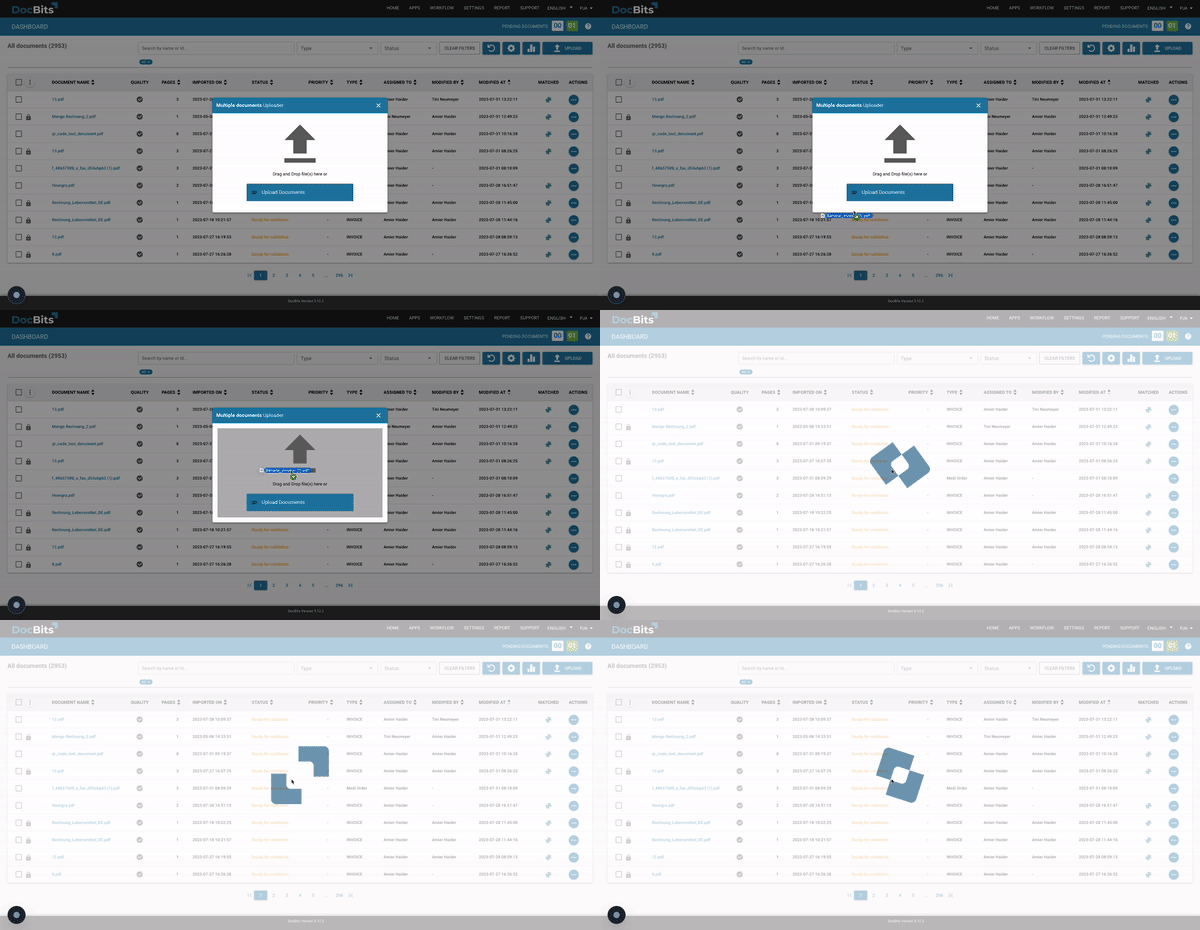
DocBits dashboard showing automated invoice import — drag and drop document upload interface

Your data gets validated before you see it Automatic 2- and 3-way PO matching catches discrepancies and duplicates — before they become problems.

GL coding happens automatically AI Tags and Auto Accounting assign the right cost centers and GL accounts — based on your rules, not manual judgment.

Your ERP gets updated in real time Seamless posting to Infor LN, Infor M3, SAP, or your existing ERP — no copy-paste, no delays.

Complex cases? Handled automatically too. AI Agents and the DocBits Operator manage exceptions and edge cases — without manual escalation.

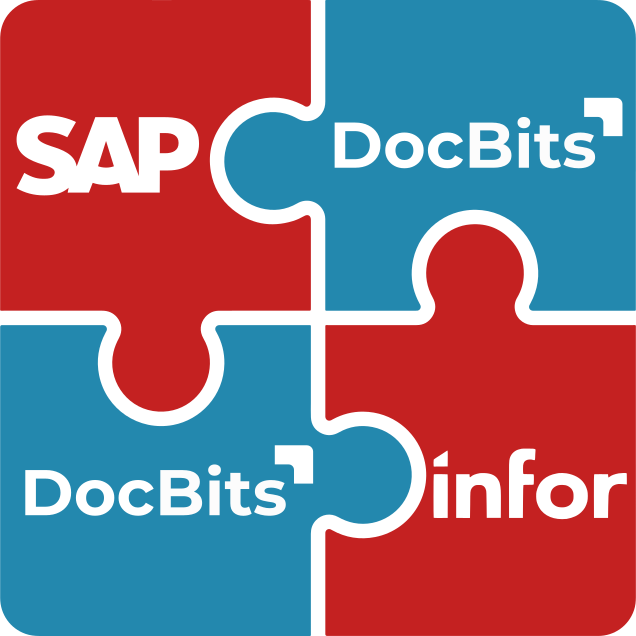
DocBits ERP integration – puzzle pieces symbolizing seamless connection with Infor and SAP
Global e-invoicing support — DocBits processes EDI, Swiss QR Code, XInvoice, PEPPOL and international invoice formats

DocBits supports international invoice types (e-invoicing). Common methods such as the EDI format, the Swiss QR code or the Italy XML Factura are part of the standard scope. If necessary, any other methods can be included and made available at short notice.

What Automated Invoice Processing Is Worth to Your Business

  • Cut cost per invoice from $15–$25 down to $2–$5
  • Reduce your processing cycle from 10–16 days to under 3
  • Eliminate 80%+ of manual data entry across your AP team
  • Expect 200–600% ROI in year one (industry benchmark)
  • Typical payback period: 3–6 months

Read out automatically with swarm intelligence

You'll get
the most out of DocBits if:

  • Your team processes 500+ invoices per month
  • You work in an Infor LN, Infor M3, Infor CSD, or SAP environment
  • You deal with multi-entity, multi-currency, or international invoice volumes
  • You’re ready to scale AP without scaling headcount

Trusted by Finance Teams Across Industries

Frequently Asked Questions

My team spends too much time manually entering invoice data. How can I improve the process?

Unfortunately, this is still very common — but it doesn’t have to be. Many finance teams waste hours every week on manual data entry that is error-prone and hard to scale. DocBits automatically captures all relevant invoice data using AI, regardless of format or layout. Your team can focus on exceptions and approvals instead of typing.

Our invoice approvals sometimes take two to three weeks. How can I speed that up?

Long approval cycles are usually caused by manual routing, missing information, or lack of visibility into the process. DocBits automates the entire approval workflow — invoices are routed to the right person instantly, status is always transparent, and bottlenecks become visible immediately. Most customers reduce their approval time significantly within the first weeks.

We keep running into duplicate payments and posting errors. How can we prevent that?

Duplicate payments and posting errors typically happen when invoices are processed manually or across disconnected systems. DocBits includes built-in duplicate detection and validation rules that flag issues before they reach your ERP. This reduces errors at the source — not after the fact.

Which software can automatically process invoices?

There are several solutions on the market, but they differ significantly in accuracy, ERP integration depth, and scalability. DocBits is purpose-built for intelligent invoice processing with native integrations for Infor LN, M3, CloudSuite, and SAP — meaning data flows directly into your ERP without manual intervention or middleware.

What can AI actually automate in accounts payable?

More than most people expect. AI can extract and validate invoice data, match invoices to purchase orders, flag exceptions, route approvals, and even suggest GL coding. DocBits handles all of these steps automatically — and gets smarter the more invoices it processes.

How do I automatically transfer PDF invoices into Excel or my ERP system?

DocBits reads PDF invoices — whether structured, scanned, or handwritten — and extracts all relevant fields automatically. The data is then transferred directly into your ERP system or exported to Excel, with no manual copy-pasting required.

Does DocBits work with invoices in different languages and currencies?

Yes. DocBits is designed for global use and supports invoices in multiple languages and currencies out of the box. Whether you receive invoices from suppliers in Germany, the US, or Asia — DocBits processes them consistently and accurately.

Can DocBits process invoices without a purchase order — so-called non-PO invoices?

Yes. Non-PO invoices are fully supported. DocBits handles both PO-based and non-PO invoices within the same workflow, so you don’t need separate processes depending on invoice type.

How reliable is automatic pre-accounting — and who has final control over the posting?

DocBits suggests GL account assignments based on historical data and configurable rules — but your team always has the final say. Nothing is posted without human approval. This gives you the efficiency of automation with the control and compliance your finance team requires.

How does DocBits integrate with our ERP system?

DocBits offers native integrations for Infor LN, Infor M3, Infor CloudSuite, and SAP — no middleware, no custom development. The connection is set up quickly and data flows bidirectionally, keeping your ERP as the single source of truth.

How is invoice automation different from AP automation?

Invoice automation focuses on processing individual invoices. AP automation covers the full accounts payable cycle — vendor management, payments, and reporting. DocBits handles both.

Ready to Leave Manual Invoice Processing Behind?

Book a demo and see how DocBits automates your AP workflow — end to end.