
Integration · Infor M3 & CloudSuite
Automate Invoice Processing in Infor M3
From capture to posting in M3, whether your suppliers send PDFs, scans or e-invoices. Natively integrated with Infor M3.
Over 96% recognition accuracy
120+ languages
Most customers go live within weeks
Companies that rely on DocBits












Still Keying Supplier Invoices into Infor M3?
You open the PDF. You type the header data. You check whether invoice line 7 matches PO line 7. You chase an approval by email, and at month-end you’re still clearing deviations that could have been caught on day one.
Meanwhile, e-invoices arrive in formats your team has to convert or re-enter by hand.
That’s not an M3 problem. It’s a missing automation layer.
DocBits for Infor M3 adds that layer. It brings Infor M3 invoice automation and AP automation in front of your ERP, whether you run Infor M3 or Infor M3 CloudSuite. Your team stops entering data and starts reviewing the exceptions that actually need a person.
More for accounting teams →
How DocBits for Infor M3 Works
DocBits connects to Infor M3 without middleware and without custom code. Your M3 stays the system of record, and DocBits makes sure documents reach it clean and ready to post.
1 · INVOICE ARRIVES
Any channel, as today
By email, upload, scan or as an e-invoice. Nothing changes for your suppliers.
2 · DOCBITS PROCESSES IT
The document work
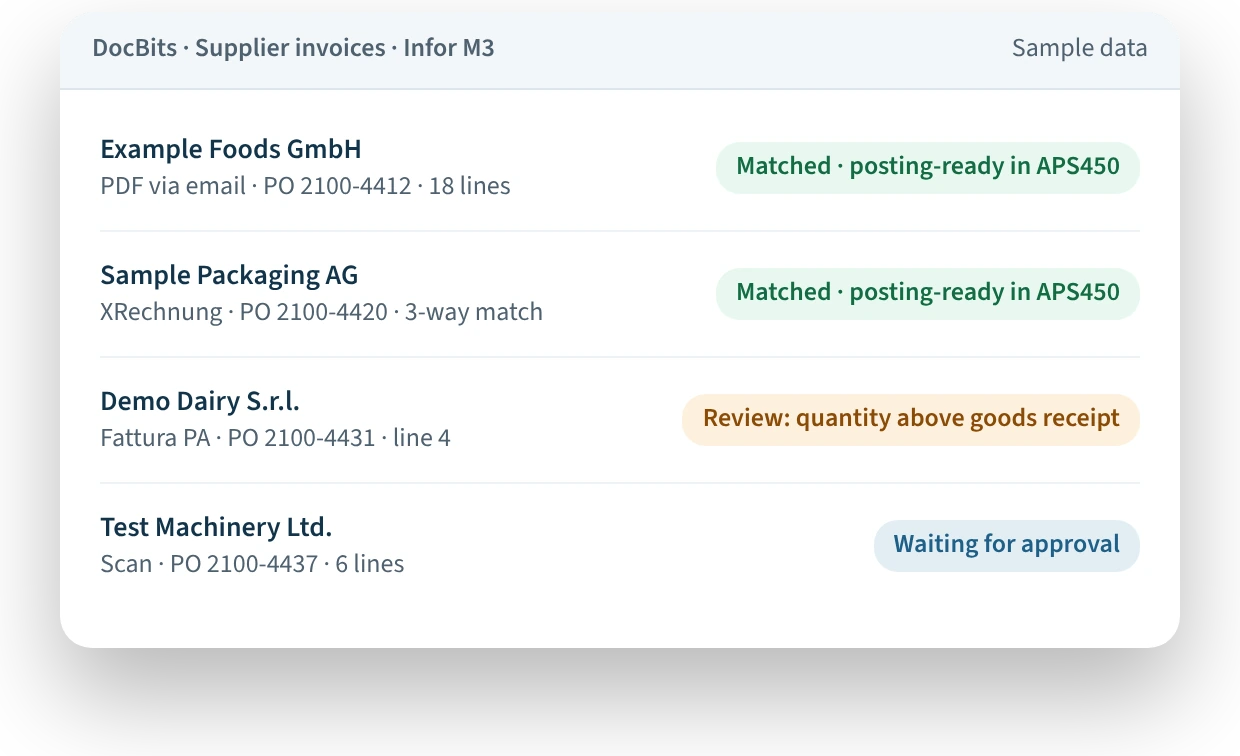
- Extracts header and line data
- Validates against your M3 master data
- Matches it to the purchase order
- Routes it through approval and GL coding
3 · M3 RECEIVES IT
Posting-ready in Infor M3
Checked data lands in Infor M3. M3 does what it always does.
Works with Infor M3 and the CloudSuites Built on It
DocBits connects to Infor M3 in the cloud, including the industry CloudSuites that run on M3. Your AP team gets the same document automation, whichever edition your company uses.
What Changes for Your AP Team
Every format, no templates
Local suppliers send PDFs. Others send scans, handwritten delivery documents or invoices with complex tables. DocBits combines OCR with machine learning, so it reads line items, tables and handwriting, not just text – with over 96% accuracy across more than 120 languages.
You don’t need to build a template for each supplier. When a supplier changes its layout, DocBits keeps learning from the documents you process.
PO matching at line level, with your tolerances
Your purchase orders are already in M3. DocBits matches incoming invoices against them line by line, using 2-way or 3-way matching and the tolerances you define.
Matched invoices move on without manual handling. Exceptions are flagged with the deviation highlighted, so your team sees right away what needs clarifying.
E-invoices that arrive ready for M3
DocBits reads structured e-invoices, validates the data against M3 and passes it on for posting. No re-entering data by hand.
Germany has required companies to be able to receive e-invoices since January 2025, and Belgium has made B2B e-invoicing mandatory since January 2026.
Approvals and GL coding before posting
You define who approves which invoices. DocBits routes each invoice to the right person and suggests GL coding based on your data, so invoices reach M3 already approved and coded.
Supplier master data in sync
Supplier master data syncs between DocBits and Infor M3. When you add a new supplier, you maintain one system, not two.
One Integration for Your P2P and O2C Documents
Invoices are usually where you start. With the same M3 integration, DocBits also automates the other documents in procure-to-pay (P2P) and order-to-cash (O2C):
PROCURE-TO-PAY (P2P)
Documents from your suppliers
Supplier order confirmations →
Checked against the PO before deviations turn into invoice problems
Delivery notes
Captured in the same platform
Handwritten documents →
Read without templates
ORDER-TO-CASH (O2C)
Documents from your customers
Customer purchase orders →
Checked against the PO before deviations turn into invoice problems
Everything runs on one platform, in one interface, through one integration.
Built for AP Teams on Infor M3
“Does it really work inside our M3?”
DocBits integrates natively with Infor M3 and delivers posting-ready data to APS450. Your team keeps working in the M3 processes it already knows.
“Will go-live collide with month-end close?”
Most customers go live within a few weeks. A dedicated project manager plans the rollout with you, and support continues after go-live.
“Is our financial data safe?”
DocBits is ISO 27001 certified and GDPR compliant. Role-based permissions control who sees, approves and posts which documents, by document type, company and division.
“Do we need IT for every new supplier format?”
No. DocBits works without templates and learns from processed documents. You can add as many users as you need.

Food & Beverage · Infor M3
“We saved a lot of time because we can post invoices directly in DocBits instead of placing them in M3 via a clearing account.”
Fitore Osmanaj, Project Lead, Chocolat Bernrain AG
From manual processes to a 95% automation rate
Manufacturing · Infor M3
“The commitment of the FELLOWPRO team stood out. We are convinced by the major reduction in effort through automation and the capacity it has freed up.”
Andreas Kraft, Project Manager After Sales, WIESHEU GmbH
Medical Technology · Infor M3
“With DocBits, we were able to establish automatic workflows for some* of the handwritten orders and to reduce the processing time for orders that can be read by the system.”
Stefanie Bachmaier, Junior Project and Process Manager, medi
Evaluating document automation? Start with the facts
PRICING
See how pricing works
Packages and the full price list – for your budget discussion
COMPARISONS
Compare your options
How IDP platforms differ in ERP integration, matching and setup effort
CONTACT
Talk to our team
Questions about your M3 setup, security or the rollout? We answer them directly.
Running Infor LN or CSD? See DocBits for Infor LN → and DocBits for Infor CSD →