


EMAIL 2 DocBits

The idea behind the process is that we take documents from an email attachment and pass them to DocBits via Microsoft Logic Apps.

How does that work? Quite simple!

Trigger

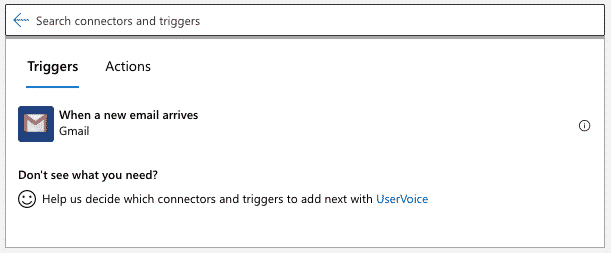
The very first thing we need is a trigger. In this case we take the one from Gmail “When a new email is received”

For the connection name we enter any name and leave the authentication type as it is.

A new login window will open where you will need to allow Logic Apps to use your email address.

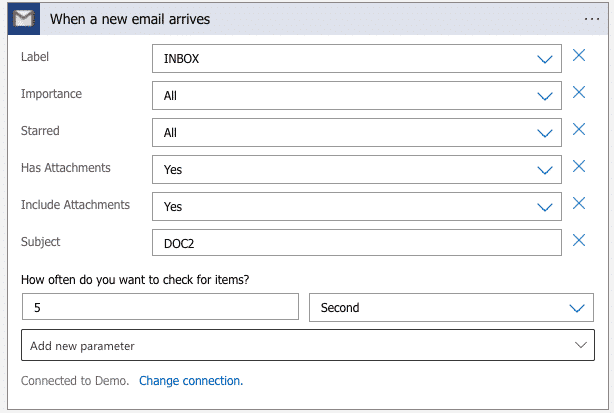
With the trigger, you can configure various criteria that lead to how where and when our workflow is actuated.

In this case, all emails with a “DocBits” subject will be considered.

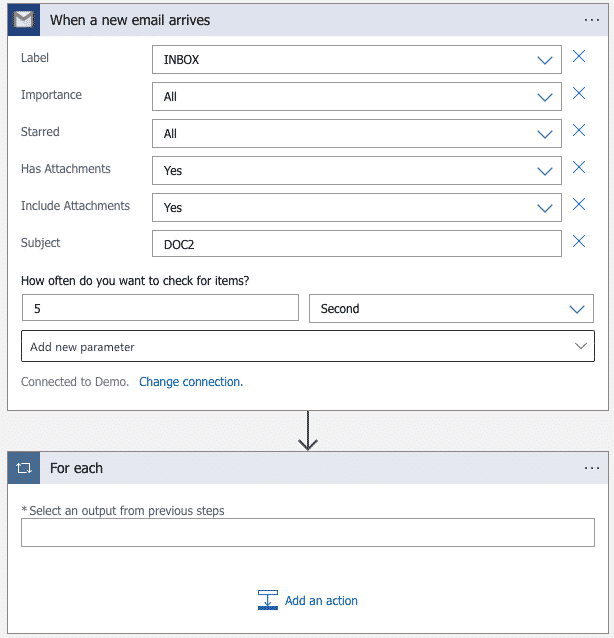
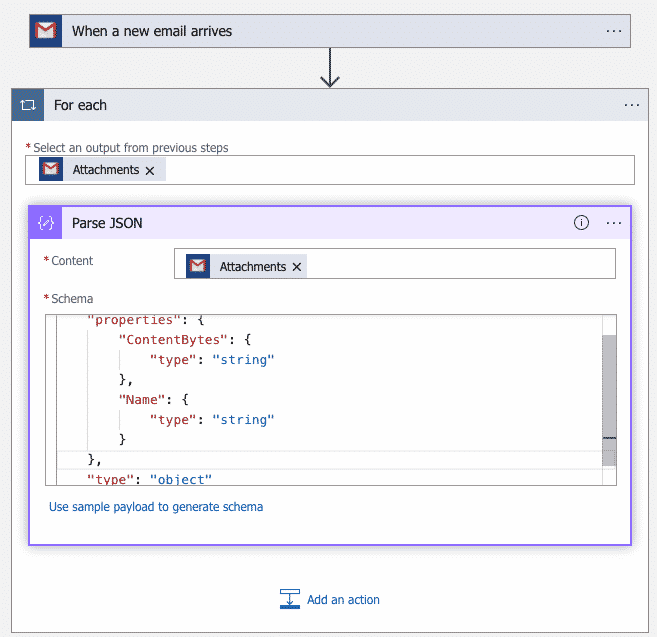
Next, we need a control that processes an array in the workflow. For this we use the “for each” loop. This loop repeats one or more actions for each element in the array

Under “Select output from previous steps“, after the “Add dynamic content” list is displayed, select the “Attachments” array that will be output by the Gmail trigger
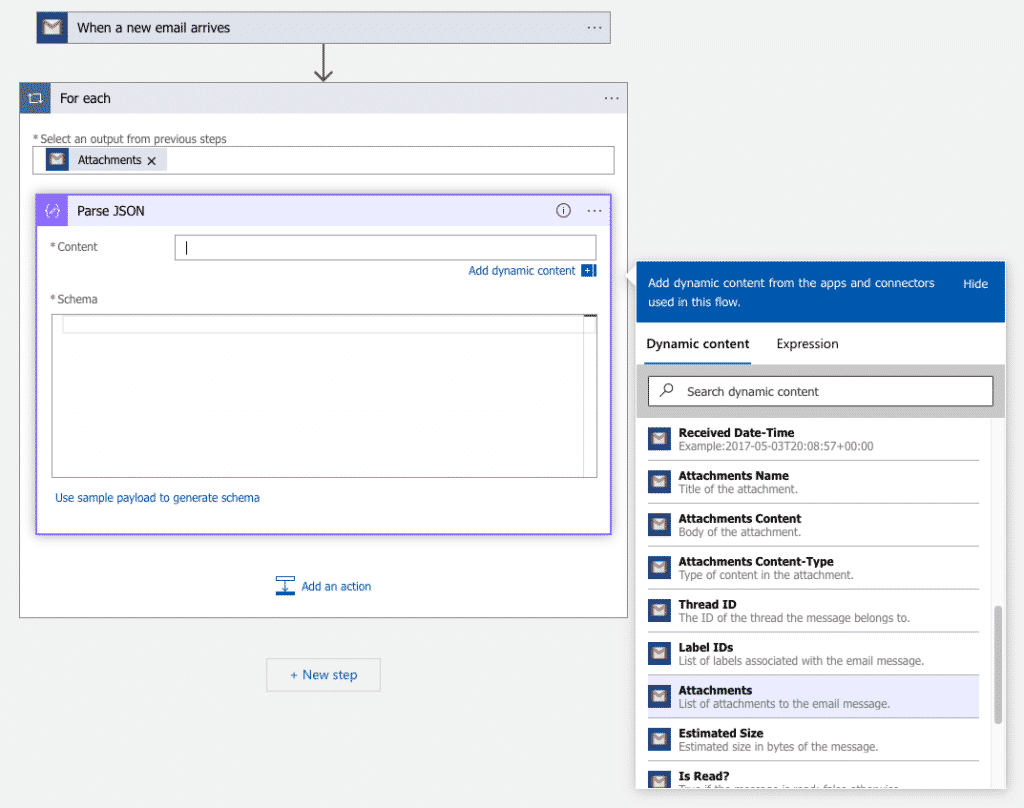
To reference or access properties in JSON content, you can create user-friendly fields, or tokens for those properties, using the Parse JSON action.
This way, you can select these properties in the dynamic content list when you specify the inputs for your logic app.

In this example, clicking in the Contents field displays the list of dynamic contents so that you can select the variable you created earlier.

Enter the JSON schema used to describe the JSON content you are analyzing

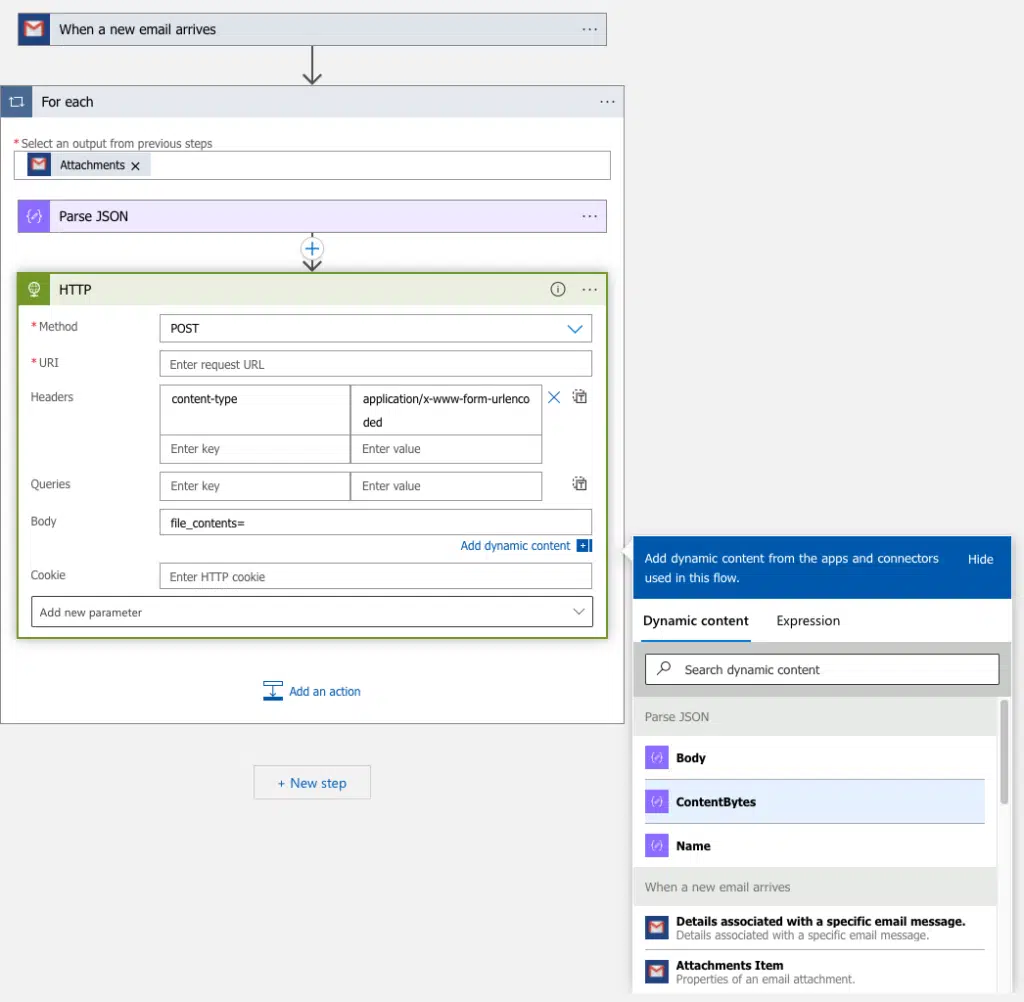
Last, we need an HTTP action that creates automated tasks and workflows that can send outbound requests to endpoints for other services over HTTP or HTTPS.

In the loop, enter the term http as a filter in the search box. In the list, select the HTTP trigger.

Enter the JSON schema used to describe the JSON content you are analyzing

In order for the data to have the content-type application/x-www-form-urlencoded, we need to add the content-type heading and the value application/x-www-form-urlencoded.
At the body we enter the JSON content configured above, which can be found at ContentBytes.

Now we are ready to test our artwork!

At the top left, we need to save and run our workflow.

We send an email with an attachment as a PDF to the address we configured at the beginning and if everything goes through without any problems, it should look like the one shown below.

Let’s check if the document has really arrived at DocBits!

When we log into DocBits and go to Dashboard, we see that the document is waiting for us for further processing.

Feel free to follow us on LinkedIn

DocBits

EMAIL 2 DocBits

Image credits: Header- & Featured image by creativeart on Freepik

Share: