XRECHNUNG VALIDATION · ZUGFERD · FACTUR-X

KoSIT Validator: Stop Faulty E-Invoices Before They Reach Your ERP

DocBits checks incoming XRechnung, ZUGFeRD and Factur-X invoices against the rules of the official KoSIT Validator and tells your team in plain language what's wrong and what to do next, before anything is posted in Infor or SAP.

Want to talk to sales, but not ready for a demo? Let's talk →

ISO 27001 certified

400+ customers

Infor LN · M3 · CSD · SAP S/4HANA
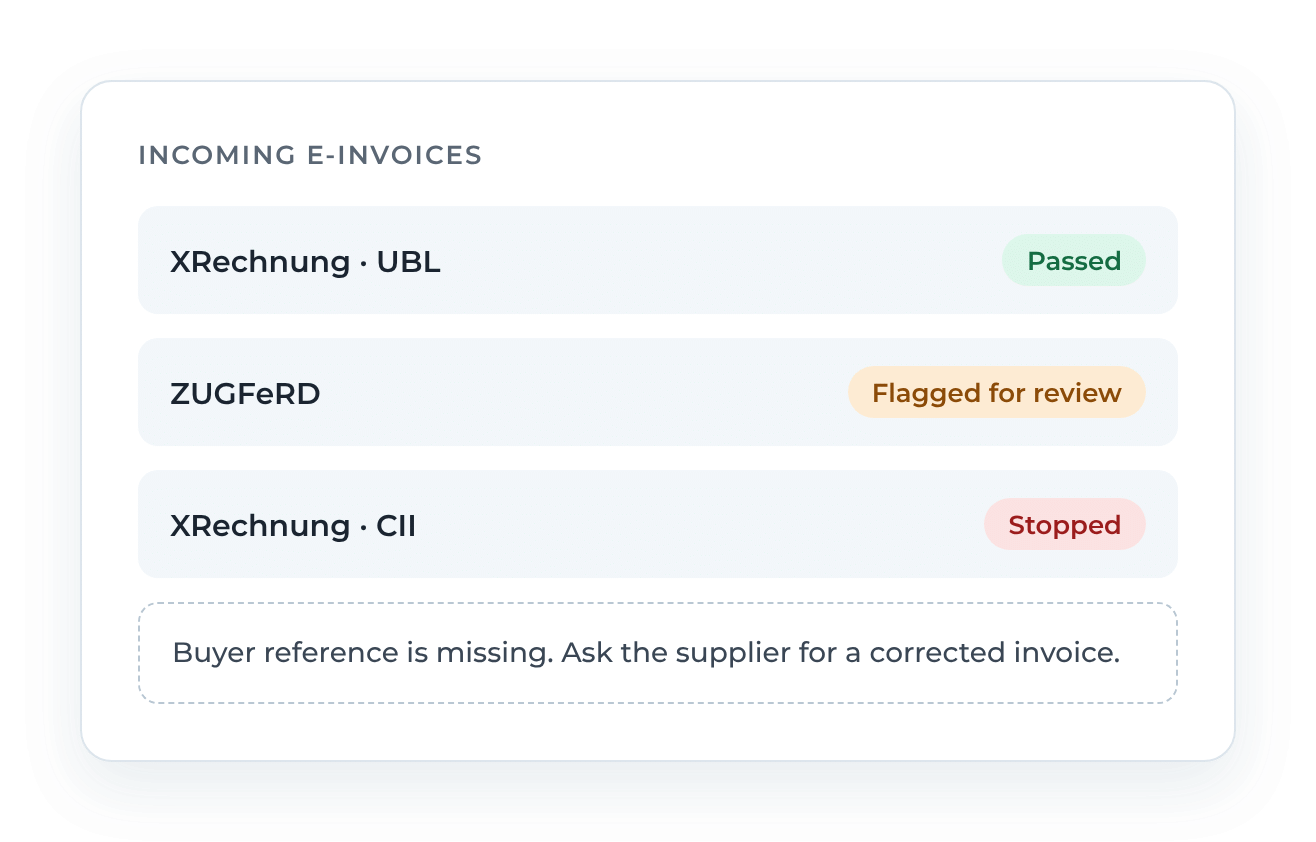
DocBits e-invoice validation: incoming XRechnung and ZUGFeRD invoices marked as passed, flagged for review or stopped

More E-Invoices, Same Late Surprises

Since January 2025, companies in Germany must be able to receive e-invoices. From 2027, suppliers with more than €800,000 in annual turnover must issue them, and from 2028 almost all businesses will (German Federal Ministry of Finance). For your accounts payable team, that means more XML invoices every month.

Most of them are fine. But when one isn’t, for example because of a missing buyer reference, a tax total that doesn’t add up or an invalid code, you often find out too late: at posting, during the month-end close, or when an auditor asks.

Checking files one by one in an online validator takes time. And the error messages read like code, not like something your team can act on.

How the KoSIT Validator Works in DocBits

Incoming e-invoices go through the same steps, automatically and before anything is posted.

Receive

E-invoices arrive in DocBits through your usual intake channels.

Recognize

DocBits detects the format: XRechnung (UBL or CII), ZUGFeRD or Factur-X.

Validate

The KoSIT Validator checks the invoice against the official rules for XRechnung and ZUGFeRD. We keep the rule set current.

Decide

Based on your settings, the invoice continues, is flagged for review, or stops.

Match

Valid invoices move on to data validation and purchase order matching.

Approve and post

After your approval workflow, ready to post in Infor LN, Infor M3, Infor CSD or SAP S/4HANA.

You don't maintain an extra tool.

Error Reports Your AP Team Can Actually Read

A failed validation only helps if someone understands it. DocBits turns validation findings into a report your team can work with:

  • What’s wrong, explained in plain language
  • Where it is, with the affected line in the file
  • What to do next, so the case doesn’t sit in a queue

Download the report and send it to your supplier, or reject the document directly in DocBits. Your team resolves the case without waiting for IT.

Your Rules, Fully Traceable

Not every finding is equally critical. You decide how DocBits responds.

Set the severity of each rule

Adjust how seriously DocBits treats each validation rule for your organization, from a simple note to a hard stop.

Decide what stops an invoice

Turn validation on per document type and define whether a failed check blocks the document or lets it continue with a flag.

See every change

A change log records each settings change: when, by whom, which rule, and from what to what. A clear trail for your auditors and your IT team.

How automated is your AP process today?

Answer a few questions and get a clear picture of where you stand.

Formally Valid Is Only the First Check

An e-invoice can pass every KoSIT rule and still be wrong for your business: a price that doesn't match the order, a quantity that was never delivered, a supplier that isn't in your master data. That's why DocBits doesn't stop at the KoSIT Validator: every invoice goes through both checks before it is posted.

CheckDone byQuestion it answers
XML structure and syntax (UBL / CII)KoSIT Validator in DocBitsIs the file technically readable?
EN 16931 business rulesKoSIT Validator in DocBitsDoes it meet the European standard?
German XRechnung rulesKoSIT Validator in DocBitsDoes it meet German requirements?
Supplier and ERP master dataDocBits data validationDo we know this supplier?
Purchase order and goods receiptDocBits PO matchingDid we order and receive this?
Approval routingDocBits workflowHas the right person approved it?
PostingDocBits ERP integrationIs it ready to post in Infor or SAP?

Every check runs inside DocBits, from the KoSIT Validator to posting.

When an E-Invoice Fails: Who Follows Up?

Finding the error is one part. Following up is the other, and that’s often where invoices get stuck.

With DocBits AI Workforce, AI agents can take over the follow-up. Depending on how you configure it, an agent informs the responsible person on your team or emails the supplier with the findings and a request for a corrected invoice. You decide how much control you keep: your team approves every action, only critical ones, or none.

Same Validation in Infor and SAP

DocBits integrates natively with Infor LN, Infor M3, Infor CSD and SAP S/4HANA, without middleware. Validation works the same way in every environment, so your rules apply wherever your invoices are posted.

Most companies go live within a few weeks. DocBits is ISO 27001 certified.

FAQ: KoSIT validator

How can I automatically validate incoming e-invoices before they are posted to my ERP?

Add a validation step between invoice intake and ERP posting. It should check each file against the official rules, meaning EN 16931 and, for German e-invoices, the KoSIT XRechnung rules. Invoices that fail should be stopped or flagged, and only clean invoices should move on to data checks, purchase order matching and approval. In DocBits, for example, this check runs automatically on receipt for XRechnung, ZUGFeRD and Factur-X, before invoices are posted to Infor LN, Infor M3, Infor CSD or SAP S/4HANA.

What should I do if a supplier sends an invalid XRechnung?

Don’t post it. Put the invoice on hold, keep the validation findings and ask the supplier for a corrected invoice. Corrections are generally made by the issuer, not by your team editing the XML. The German Federal Ministry of Finance’s FAQ covers the requirements for e-invoices. In DocBits, you can download the validation report, send it to the supplier and reject the document. With AI Workforce, an agent can notify the supplier, depending on your configuration.

Is the KoSIT Validator enough to check incoming e-invoices?

For formal compliance, the KoSIT Validator with its XRechnung configuration is the official reference: it checks the file structure, the EN 16931 business rules and the German national rules (KoSIT / XStandards Einkauf). It doesn’t check whether an invoice fits your business: whether it matches a purchase order and goods receipt, whether the supplier data is correct, or whether it has been approved. DocBits combines both: KoSIT-based validation on receipt, followed by data validation, purchase order matching and approval before posting.

Which software validates e-invoices against KoSIT rules for Infor LN, Infor M3 or SAP S/4HANA?

Options range from integrating the open-source KoSIT Validator yourself to e-invoicing service providers and AP automation platforms. When comparing them, ask three questions:

  • Does validation happen before the invoice reaches the ERP?
  • Can you control which findings block an invoice?
  • Are results and setting changes documented?

DocBits by FELLOWPRO validates incoming XRechnung, ZUGFeRD and Factur-X invoices against the KoSIT rules (documentation) and integrates natively with Infor LN, Infor M3, Infor CSD and SAP S/4HANA.

See It With Your Own E-Invoices

In a demo with our CRO, you'll see how DocBits validates, explains and processes e-invoices in your context. Bring a few of your own e-invoices, including problematic ones, and we'll test them live.