
DOCBITS AI WORKFORCE
AI Agents for Accounts Payable – a Team You Manage, Not a Tool You Operate
Your AI team takes invoices from the inbox into Infor or SAP. It classifies, checks and matches them, and asks suppliers when something is missing. You decide which steps need your approval.
400+ customers
ISO 27001 certified



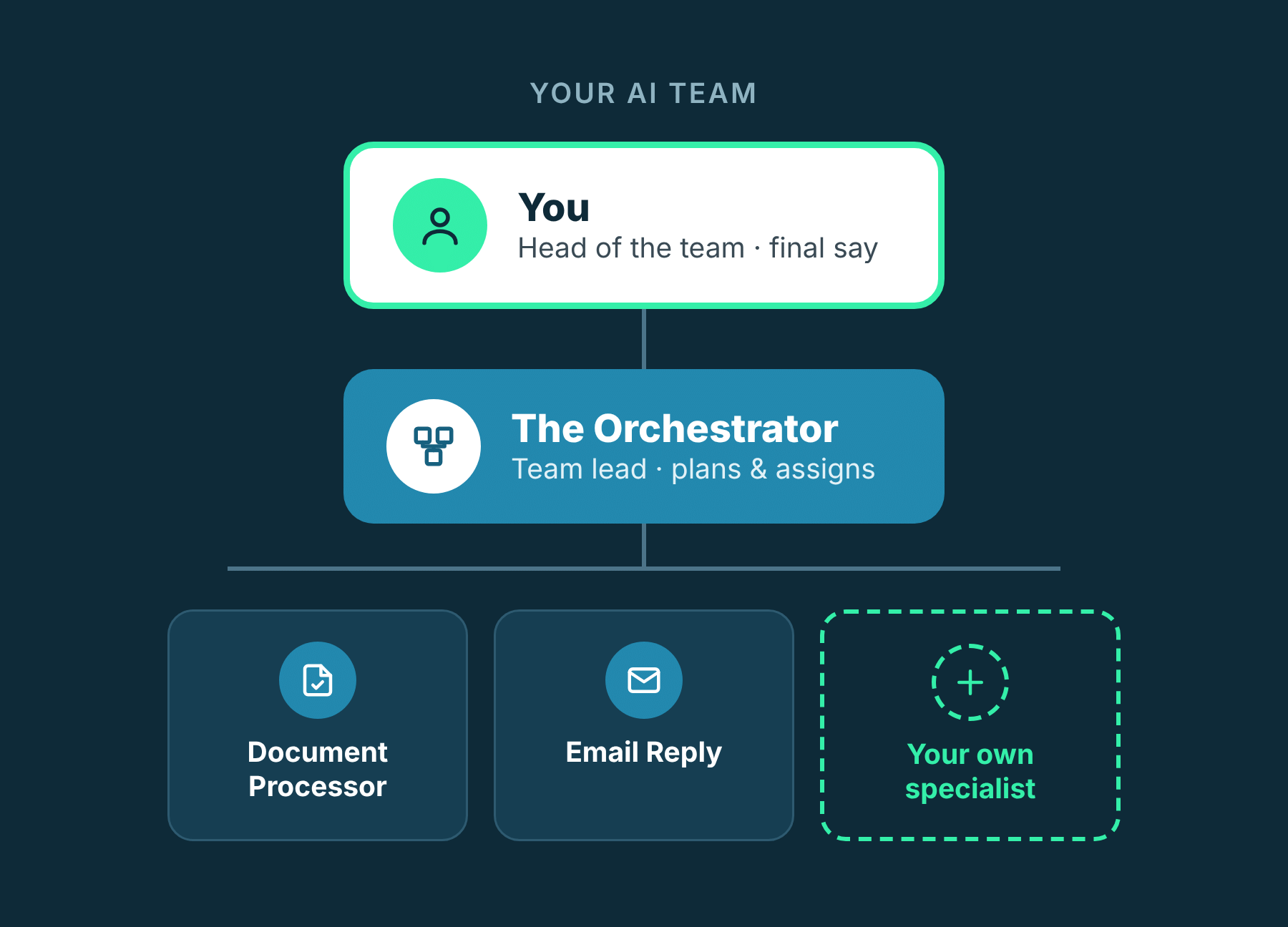
Meet your new digital team
Imagine new colleagues joining your accounts payable team tomorrow. They don't need weeks of onboarding. They don't mind a full inbox. And they ask before they do anything sensitive – for as long as you want them to.
What changes for your team
Less typing, fewer handoffs, more control – here's what an AI team means for your day-to-day work in accounts payable.
Start the day with decisions, not data entry
Invoices can be picked up and prepared as soon as they arrive – also outside office hours, if you set it up that way. When you log in, what's left is what needs your judgment.
How: every incoming email can start a mission
Everything that needs you, in one place
Everything that needs a person lands in one Inbox, with a counter showing what's waiting. Less searching through mailboxes and spreadsheets.
How: approval requests in the DocBits Inbox
Always know where an invoice stands
See at a glance whether work is being planned, in process, waiting for approval or done.
How: live mission status and dashboard
Routine keeps moving when someone is out
Holidays and sick days don't have to stop the process: your agents keep doing the routine work, and decisions wait in one place.
How: agents work on every incoming mission
Ready when the auditor asks
Every action is recorded: what happened, who did it – agent or person – and when.
How: activity log with filters
More volume, not more typing
When invoice volumes grow, your agents take on the extra routine work – so your team can focus on exceptions and analysis.
How: specialists you can add as you grow
Use cases: what your AI team takes on
Invoice processing is just the start. These examples show how flexibly you can put your AI team to work. (All examples are illustrative.)
Use case 1
From the inbox to your ERP
It's Monday, 8:30, and the supplier inbox filled up over the weekend. Normally that means opening, sorting and typing before the real work starts. With AI Workforce, the routine part is already moving – and the decisions are waiting for you.
Use case 2
An invoice is missing data
An invoice arrives without a purchase order number. Validation flags the gap, and the Email Reply agent writes to the supplier asking for the missing reference. Depending on your settings, it sends the email right away or waits for your approval in the Inbox. Instead of a half-finished invoice in someone's inbox, you have a clear task in progress.
Use case 3
An e-invoice fails validation
An e-invoice doesn't pass the format check. Depending on your setup, an agent informs your team or writes to the supplier – sent right away or after your approval, depending on your settings.
Use case 4
Clear the backlog before month-end
Describe what you need in plain language, for example: “Process all supplier invoices that arrived this week and match them against their purchase orders.” The Orchestrator plans the mission, the specialists get to work, and you follow the progress live.
Use case 5
Hand over work from Microsoft Teams
Send a request to your AI team directly from a Teams channel. It becomes a mission in DocBits – and any approval still runs through your Inbox.
Use case 6
Keep supplier work organized
Group related missions into projects – for example, all invoices from one supplier in Q1. Add a due date, and the project closes itself at the end of the quarter. With a simple rule, such as a supplier's email address, new missions are filed in the right project.
Your process is different?
Build your own specialists and put them to work in your team.
You decide how much your agents can do
An AI team is only useful if you can trust it. That's why you set, for each agent, how much of its work needs your sign-off.
In Critical mode, you can fine-tune individual actions – for example, require approval for a step that would normally run on its own.
Every action is logged
The activity log shows what happened, who did it – agent or person – and when.
You see what your agents have learned
Agents learn from feedback. You can review each lesson, rate it, or remove it if it's wrong.
Your rules, in plain language
Tell an agent in its instructions which actions need approval and from which threshold.
Works inside Infor and SAP
Your AI team works where your financial data lives. DocBits connects natively to your ERP – without middleware – and most customers go live within a few weeks.
Infor LN
Infor M3
Infor CSD
SAP S/4HANA
For companies running or migrating to SAP S/4HANA
95 %
automation with DocBits
„The commitment of FELLOWPRO employees has made a positive impression. We are convinced by the high cost savings achieved through automation and the resulting free capacity“