Match order confirmations, delivery notes and invoices against your purchase orders line by line – with tolerances you define, natively in Infor and SAP S/4HANA.
Book a demo with your own documents400+ customers · ISO 27001 certified · Over 96 % recognition accuracy
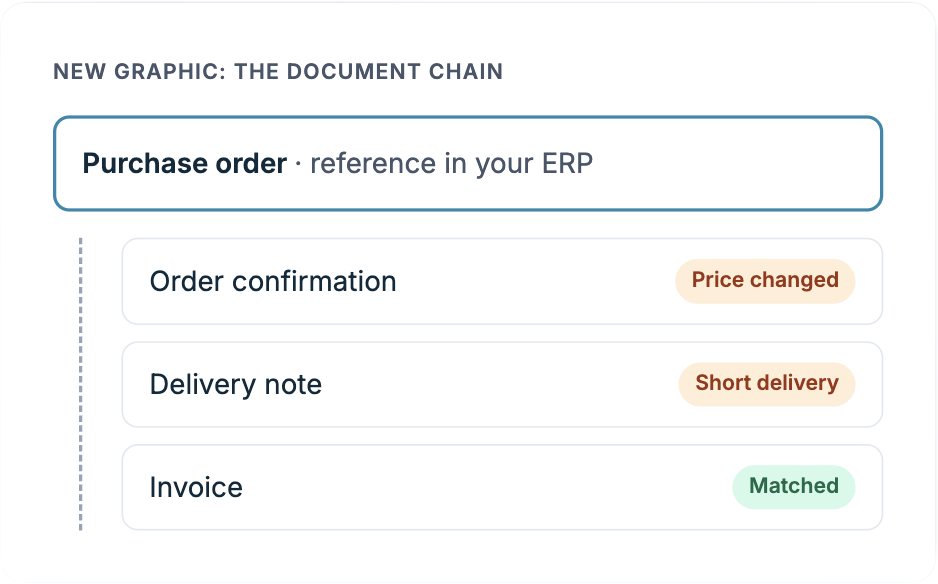
A supplier confirms a higher price. A delivery arrives short. Nobody notices until the invoice lands in accounts payable – weeks later, when the goods are already in production and the conversation with the supplier is harder.
Changed prices in order confirmations go unnoticed in a busy inbox
Partial deliveries only become visible when the invoice doesn't match
Queries from accounting pull buyers back into orders they closed long ago
Supplier disputes start from data errors rather than real disagreements
No clear overview of which deviation is open, where, and with whom
Order confirmations, delivery notes and invoices arrive by email, PDF, scan or e-invoice. DocBits reads them in any layout and in over 120 languages, with over 96 % recognition accuracy.
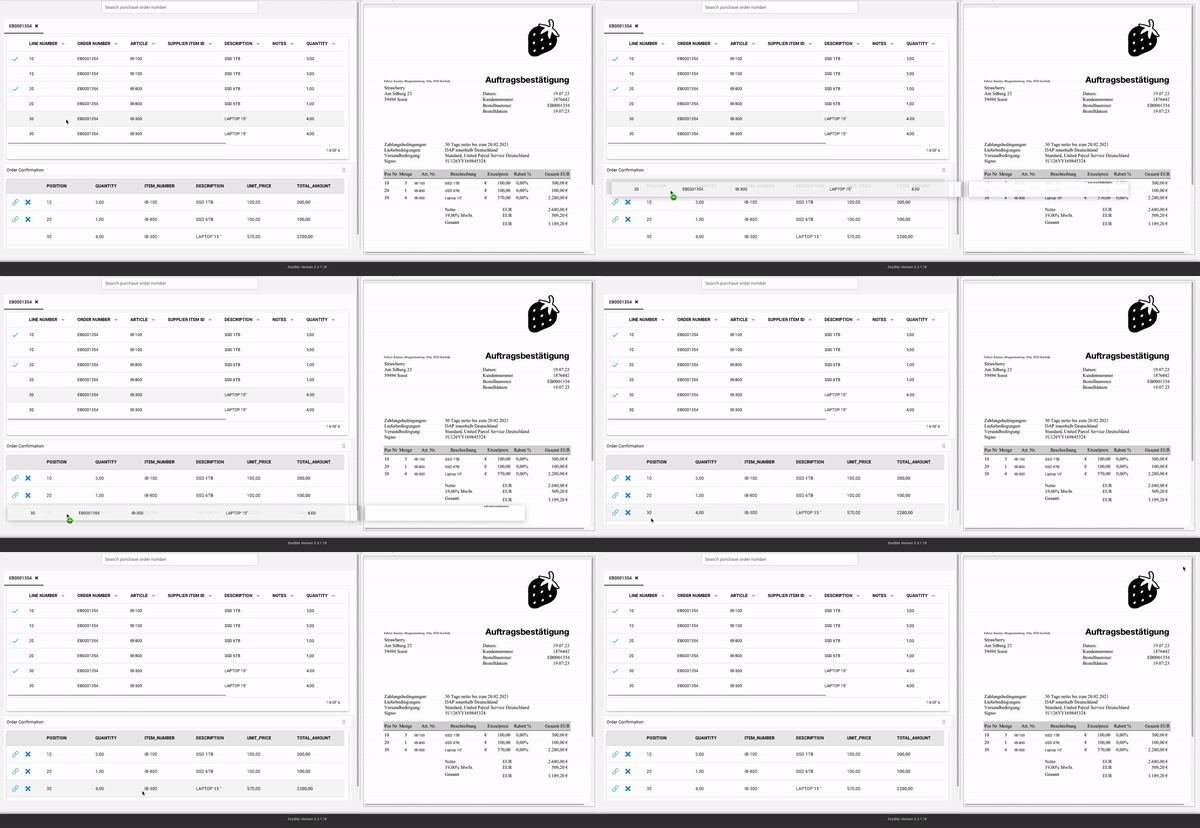
Every line is compared with the corresponding purchase order line: item number, quantity, unit price and totals.
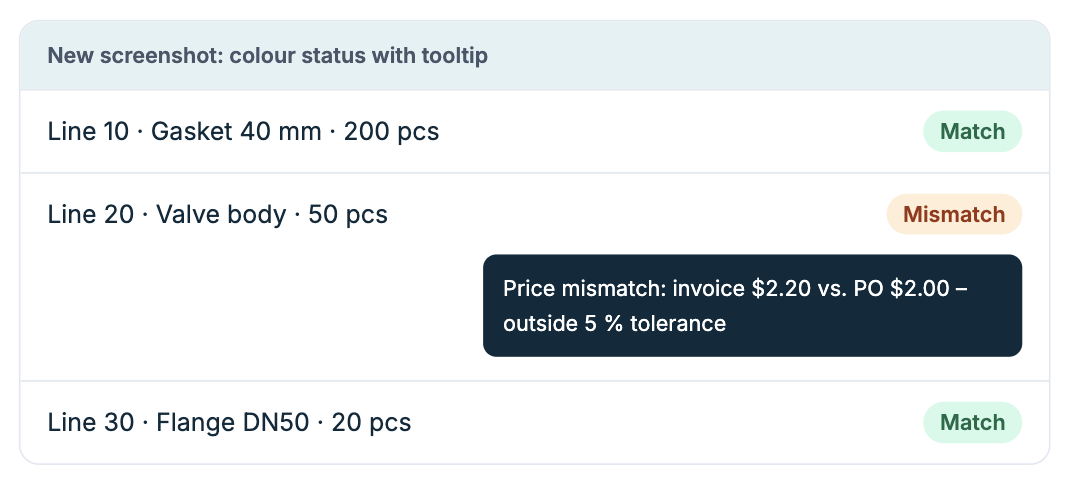
Lines within your tolerances are marked green. Deviations are marked orange, with the reason shown directly: quantity, price or item number.
Once deviations are resolved, clarified and posting-ready data goes to your ERP – no need to re-enter it by hand.
Check confirmed prices, quantities and delivery dates against your purchase order as soon as the confirmation arrives. Matching confirmations need no manual entry; deviations go to your purchasing team, who decide whether to accept them or clarify with the supplier.
Match invoices against the purchase order and, depending on your setup, against received quantities or delivery notes (3-way matching). You choose which quantity source counts for matching – based on your ERP setup and how your team works.
Each invoice line is checked against its PO line – item number, quantity, unit price and totals. Deviations hidden inside individual lines become visible, even when the invoice total looks right.
Invoices rarely match purchase orders exactly: rounding, unit conversions or small freight differences are part of daily business. With configurable tolerances, minor deviations don't block processing – and real ones still get flagged.
Quantity and unit price tolerances, set as a percentage or a fixed value
Tolerances apply in both directions – above and below the PO value
Additional tolerances for freight, charges and tax
See how tolerances are configured in the DocBits documentation →
Green means matched within tolerance; orange means a deviation. A tooltip explains the reason immediately – quantity mismatch, price mismatch, item number mismatch or several at once.
If a line needs a different assignment, drag the matching PO line onto the invoice line. The status updates immediately.
Deviations outside tolerance can automatically create a review task and notify the responsible person or team by email – for example purchasing for a price change, accounts payable for a tax difference.
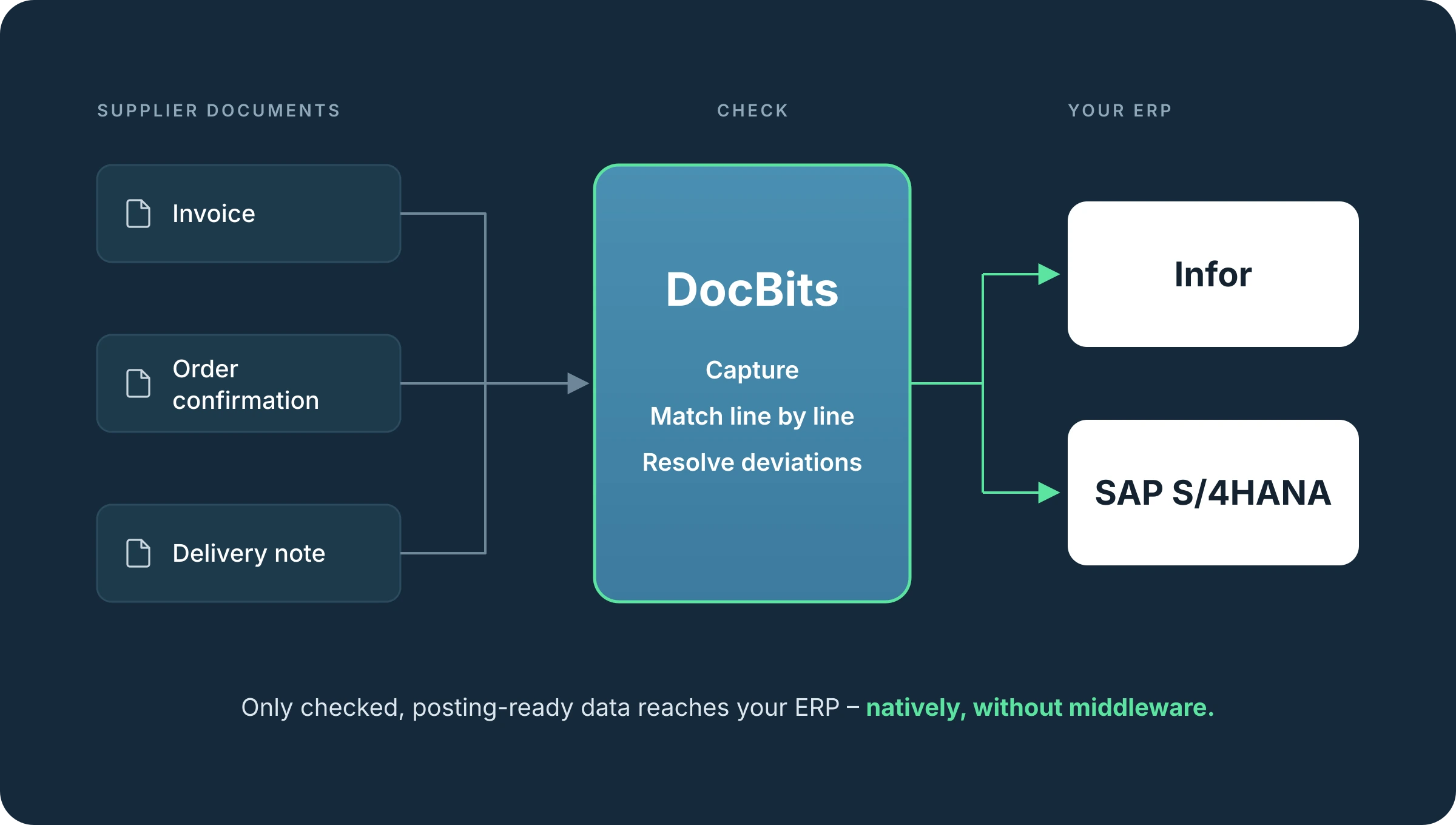
Infor ERP systems include standard invoice matching for invoices registered in the system. DocBits works one step earlier: it captures supplier documents in any layout, matches them line by line and resolves deviations – so that only clarified, posting-ready data reaches your ERP.
DocBits integrates natively with Infor and with SAP S/4HANA – for companies running or migrating to SAP S/4HANA. There is no middleware and no separate connector project, and most customers go live within a few weeks. DocBits is ISO 27001 certified.
95%
From manual processes to 95 % automation at WIESHEU
Score vendors side by side on the criteria that matter for your ERP and your documents – with the free IDP Evaluation Scorecard.
PO matching sits between ordering and posting. Combined with automated invoice processing, invoice approval and automated GL coding, DocBits connects purchasing and accounts payable in one document flow – with fewer handoffs and a clear status for every document.
Bring your own purchase orders, order confirmations and invoices – and see how DocBits matches them in your Infor or SAP S/4HANA environment.
You are currently viewing a placeholder content from Vimeo. To access the actual content, click the button below. Please note that doing so will share data with third-party providers.
More InformationYou are currently viewing a placeholder content from YouTube. To access the actual content, click the button below. Please note that doing so will share data with third-party providers.
More InformationYou need to load content from reCAPTCHA to submit the form. Please note that doing so will share data with third-party providers.
More InformationYou are currently viewing a placeholder content from Facebook. To access the actual content, click the button below. Please note that doing so will share data with third-party providers.
More InformationYou are currently viewing a placeholder content from Instagram. To access the actual content, click the button below. Please note that doing so will share data with third-party providers.
More InformationYou are currently viewing a placeholder content from X. To access the actual content, click the button below. Please note that doing so will share data with third-party providers.
More Information