
Your team is good at what they do. But spending hours transcribing paper forms into your system isn’t part of that. It’s slow, it’s error-prone — and it doesn’t scale.
The reality in most mid-sized and enterprise companies:
This is not a people problem. It’s a process problem — and it has a solution.
DocBits uses a combination of AI, machine learning, and Intelligent Character Recognition (ICR) to read handwritten content the way a trained human would — only faster and without fatigue.
Upload scanned forms, PDFs, or image files directly into DocBits. Drag and drop, email ingestion, or automated import from your existing systems.
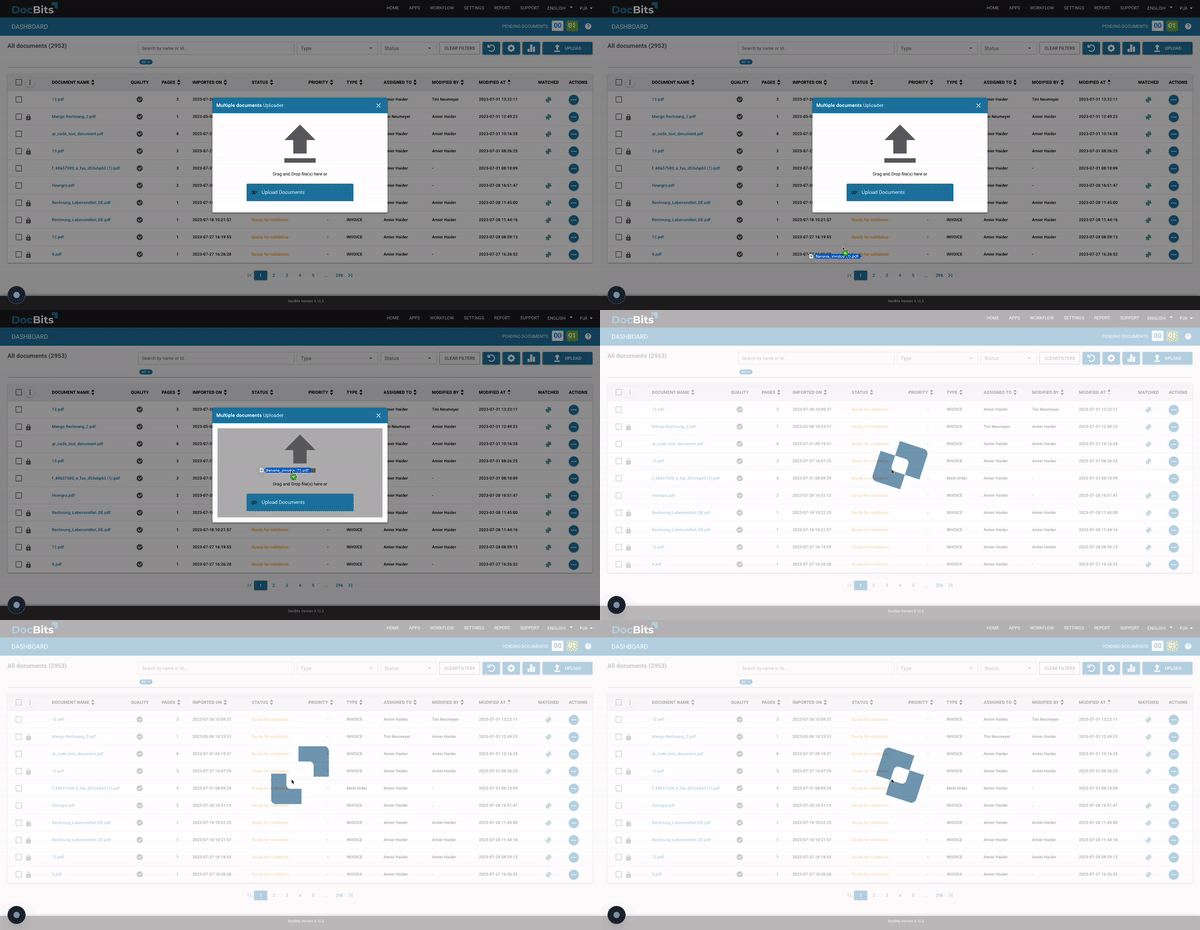
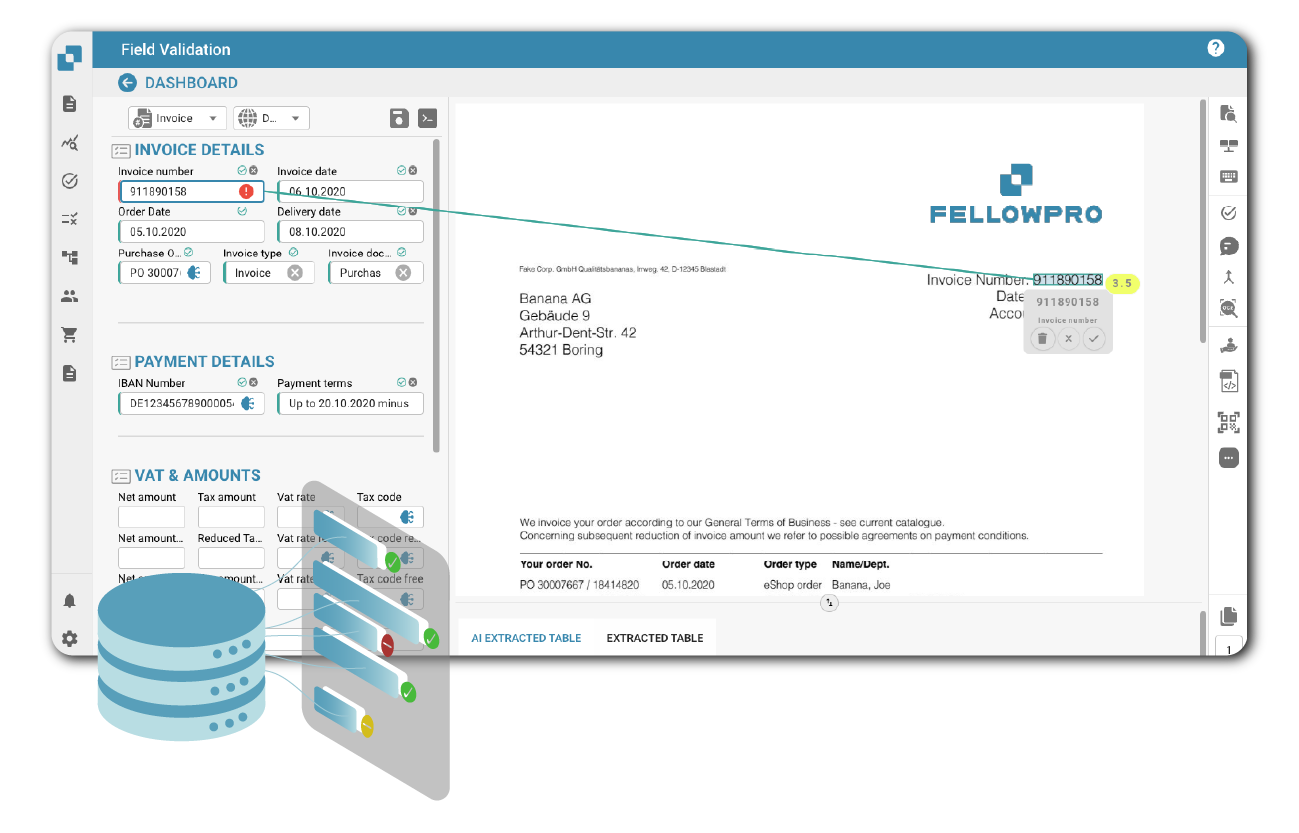
DocBits identifies fields, reads handwritten values, and structures the extracted data — including complex tables, checkboxes, free-text fields, and mixed printed/handwritten content.
Extracted data is validated against your master data and transferred directly into your ERP system SAP, Information LN, Information M3, Information CloudSuite). Exceptions are flagged for human review — everything else goes through automatically.
No template creation. No prior training. DocBits’ swarm intelligence recognizes new form layouts from the first document, with over 90% accuracy out of the box.
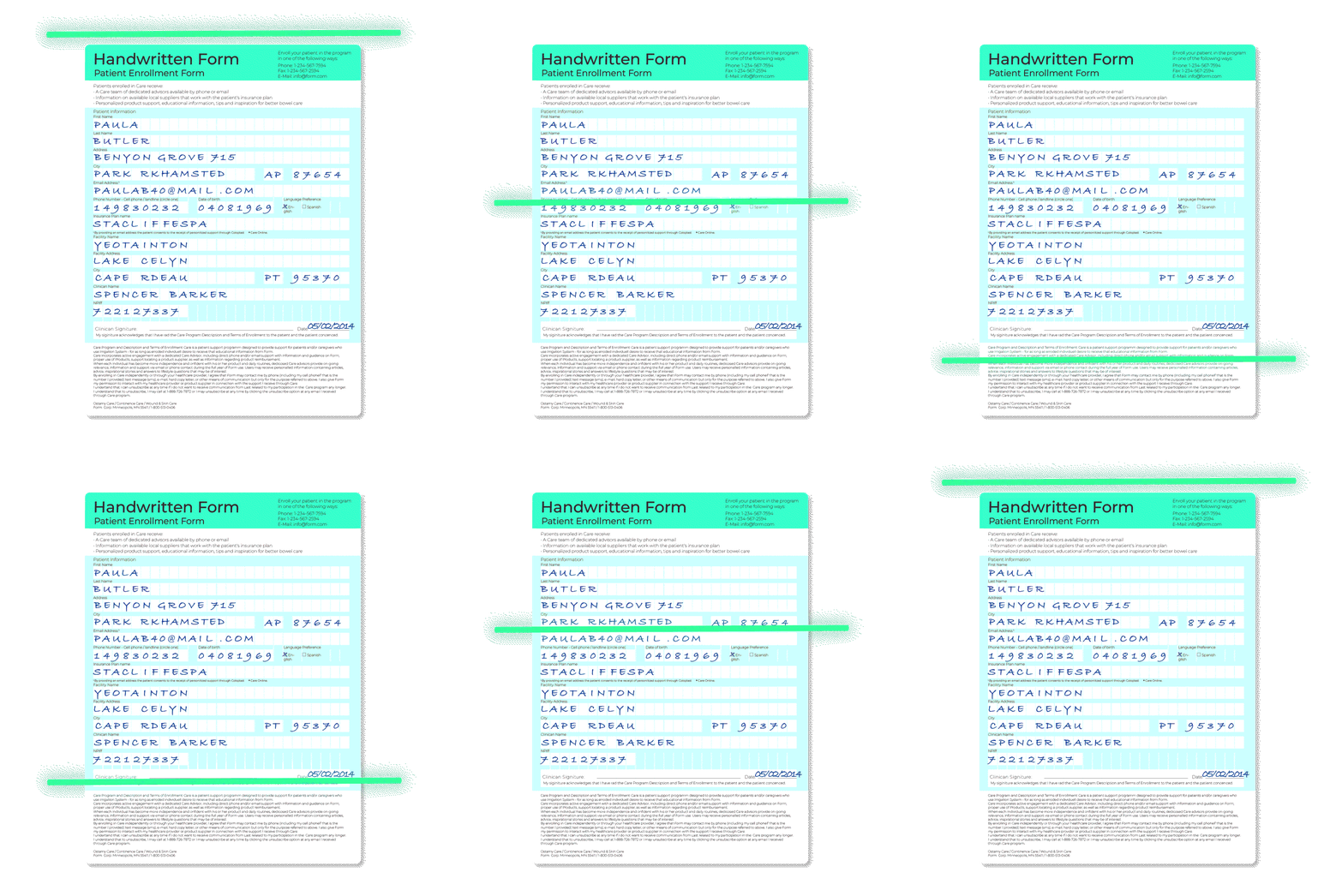
Stop chasing down paper. DocBits eliminates manual data entry from handwritten documents, reduces transcription errors, and creates a clean audit trail for every processed form. Your team closes faster and with greater confidence.
Supplier forms, delivery confirmations, and goods receipts — processed automatically and matched against open orders. Discrepancies are flagged immediately, so your team acts on exceptions, not on input work.
DocBits works without templates, without retraining, and without complex implementation. Native ERP connectors mean minimal integration effort. And because the system learns from every document it processes, accuracy improves over time — without manual model updates.
Less manual processing means lower operational costs, higher throughput, and a team that focuses on work that actually drives the business. DocBits scales with your document volume — without scaling your headcount.
Unlike traditional OCR tools that fail on handwriting, DocBits is built for the messy reality of business documents:
| Traditional OCR | DocBits | |
|---|---|---|
|
Handwriting recognition |
❌ Limited |
✅ AI-powered ICR |
|
Requires templates |
Yes |
No |
|
ERP-native integration |
Custom build |
SAP, Infor |
|
Works from document 1 |
Training needed |
90 %+ accuracy immediately |
|
Handles complex tables |
Rarely |
Yes |
|
GDPR-compliant |
Rarely |
EU-based, fully compliant |
Yes. Modern AI-powered solutions use Intelligent Character Recognition (ICR) to automatically read handwritten content from scanned forms, PDFs, and image files. Unlike traditional OCR — which is designed for printed text — ICR is trained to handle variable handwriting styles, mixed content, and complex form layouts. DocBits uses ICR combined with machine learning to extract structured data from handwritten forms and transfer it directly into your business systems.
Companies handling high volumes of handwritten forms — such as delivery notes, field service reports, or supplier documents — increasingly rely on intelligent document processing (IDP) platforms. These systems automatically capture, classify, and extract data from incoming documents regardless of format or handwriting style, and feed the structured output directly into ERP or business systems. This eliminates the manual bottleneck and allows teams to scale document volume without scaling headcount.
Yes. AI-powered form processing software scans or ingests paper documents and automatically extracts the relevant data fields — without any manual retyping. The extracted data is validated and transferred directly into your connected ERP or business system. This approach is used across industries for delivery notes, inspection records, HR forms, and any other paper-based document that currently requires manual entry.
OCR (Optical Character Recognition) recognizes printed, machine-generated text. ICR (Intelligent Character Recognition) is an advanced extension that applies machine learning to recognize handwritten characters — including cursive writing, individual script styles, and poorly legible content. For business forms that contain any handwritten input, ICR is required. DocBits combines both technologies with contextual AI to handle any combination of printed and handwritten content on the same document.
Accuracy varies by solution and document quality. Traditional OCR tools achieve around 64% accuracy on handwritten content. Modern AI-powered ICR systems — including DocBits — achieve over 90% accuracy from the first document, without prior training. Accuracy continues to improve as the system processes more documents. For business-critical forms, the remaining low-confidence extractions are flagged for human review before transfer to your ERP, ensuring data integrity throughout.
A standalone OCR tool extracts raw text but does not understand document structure, validate data, or connect to your business systems. An IDP platform like DocBits goes further: it classifies the document, extracts structured data, validates it against your master data, and transfers it into your ERP automatically. For handwritten forms in a business context — where the goal is clean, usable data in your system — an IDP platform delivers significantly more value than a basic OCR tool.
DocBits processes any business form containing handwritten or mixed content, including: delivery notes, field service and maintenance reports, quality inspection forms, goods receipt documents, customs and shipping declarations, HR onboarding forms, purchase requisitions, supplier and vendor forms, and internal approval sheets. If the document can be scanned or uploaded as a PDF or image file, DocBits can process it.
DocBits integrates natively with Infor LN, Infor M3, Infor CloudSuite, and SAP. Once data is extracted from a handwritten form and validated, it is transferred directly into the correct fields in your ERP — without manual rekeying or intermediate exports. For other ERP and DMS systems, DocBits provides a REST API for custom integration.
Yes. DocBits operates within a GDPR-compliant infrastructure. Documents containing personal data — such as HR forms or customer-signed delivery notes — are processed in accordance with EU data protection regulations. For organizations with specific data residency or security requirements, DocBits’ architecture supports the necessary configurations.
You don’t need a lengthy evaluation process to know if DocBits works for your documents. Book a personalized demo and see exactly how your forms are processed — from scan to ERP entry.

You are currently viewing a placeholder content from Vimeo. To access the actual content, click the button below. Please note that doing so will share data with third-party providers.
More InformationYou are currently viewing a placeholder content from YouTube. To access the actual content, click the button below. Please note that doing so will share data with third-party providers.
More InformationYou need to load content from reCAPTCHA to submit the form. Please note that doing so will share data with third-party providers.
More InformationYou are currently viewing a placeholder content from Vimeo. To access the actual content, click the button below. Please note that doing so will share data with third-party providers.
More InformationYou are currently viewing a placeholder content from YouTube. To access the actual content, click the button below. Please note that doing so will share data with third-party providers.
More InformationYou are currently viewing a placeholder content from Bunny Stream. To access the actual content, click the button below. Please note that doing so will share data with third-party providers.
More InformationYou are currently viewing a placeholder content from Wistia. To access the actual content, click the button below. Please note that doing so will share data with third-party providers.
More InformationYou are currently viewing a placeholder content from Facebook. To access the actual content, click the button below. Please note that doing so will share data with third-party providers.
More InformationYou are currently viewing a placeholder content from Instagram. To access the actual content, click the button below. Please note that doing so will share data with third-party providers.
More InformationYou are currently viewing a placeholder content from X. To access the actual content, click the button below. Please note that doing so will share data with third-party providers.
More Information