

















XInvoice Processing — Automated, Validated, Posted to Your ERP

Let your XInvoices process themselves — directly into Infor or SAP — while your team focuses on what actually matters.

Invoice processing automated and posted directly into Infor ERP via DocBits

Another XInvoice just landed. No readable PDF, no quick glance to verify it. Just raw XML — and someone on your team has to figure out what to do with it!

XInvoice compliance was meant to simplify invoicing. For most finance teams, it created a new problem: a format their ERP wasn’t built to handle.

The invoice sits there. Someone validates it manually, extracts the data, rekeyes it — and hopes nothing slips through. Meanwhile, approvals stall, deadlines move, and the backlog quietly grows.

What if your ERP could simply receive an XInvoice — and the rest happened automatically?

DocBits receives XInvoice files in all current formats , validates them, extracts every data field, and posts them directly into your ERP.

With native integrations for Infor LN, Infor M3, Infor CloudSuite, and SAP, there’s no middleware, no custom development, no months-long implementation. DocBits connects to the ERP you already use and processes XInvoices the way your system expects — from receipt to posting, end to end.

Your team stops handling files. They handle exceptions only — if there are any.

What Is XInvoice — and Why Is It Now a Business Priority?

XInvoice — known in Germany as XRechnung — is the e-invoicing standard that the German public sector runs on. Unlike a normal invoice, it arrives as a structured data file, not a PDF. There’s nothing to open, nothing to glance at — just data that needs to be processed correctly.

Since November 2020, all German federal authorities are required to accept XInvoices. And with e-invoicing mandates now expanding across the EU, this format is moving fast into B2B transactions as well — meaning more of your incoming invoices will arrive this way, whether you’re ready or not.

For finance and purchasing teams, this creates one clear challenge: your existing process wasn’t built for this. And the longer you handle it manually, the more it costs you.

This Is What Automated XInvoice Processing Actually Looks Like – with DocBits

Fully automated — from the moment the XInvoice arrives to the moment it’s in your ERP

It arrives, DocBits catches it

However the XInvoice comes in — DocBits picks it up and processes it straight away. No configuration needed for standard formats, no manual upload, no one needs to route it.

DocBits reviews every invoice for errors and missing information the moment it lands. If something’s wrong, your team finds out immediately — not three months later during a review.

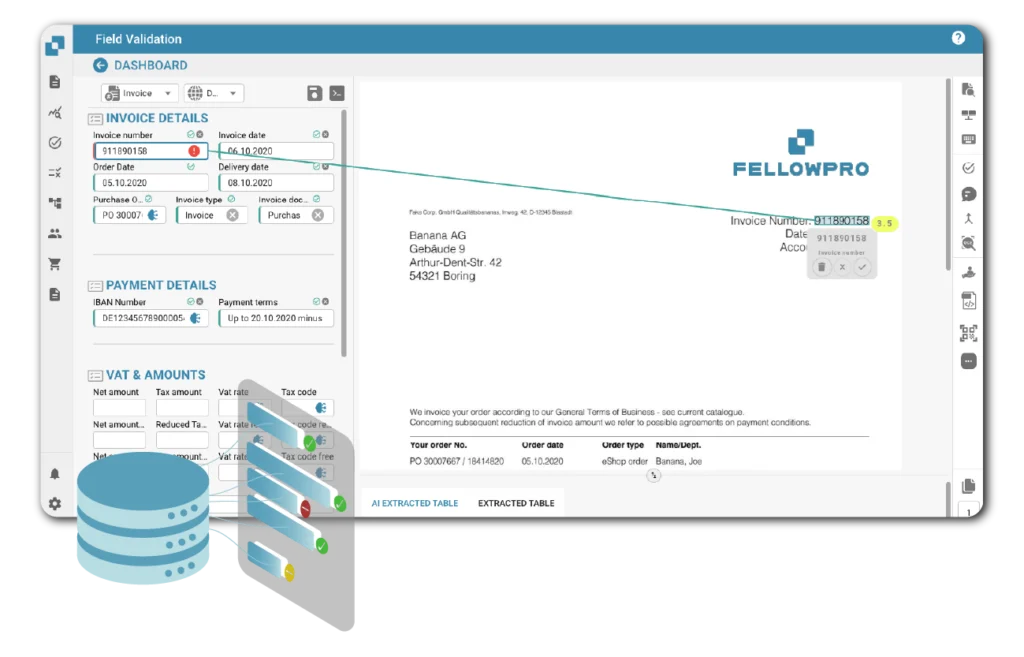
DocBits automatically extracts and validates XInvoice fields — invoice number, payment details, VAT and amounts mapped directly to ERP
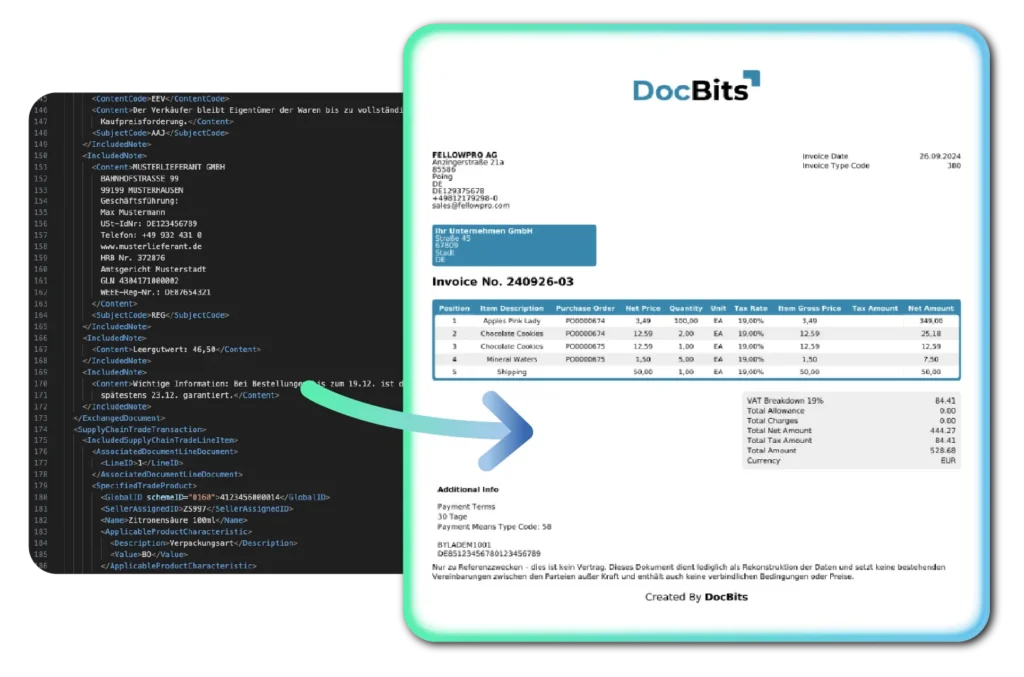
DocBits converts raw XInvoice XML into a clean, readable invoice view — no technical knowledge needed

Your team sees a real invoice, not a data file

DocBits converts the XInvoice into a clean, readable invoice view — so your team can review and approve it exactly as they would any normal invoice. No technical knowledge needed. No format headaches.

Every piece of information — supplier details, line items, amounts, tax, payment terms — is automatically mapped to the correct fields in your ERP. No copy-paste. No rekeying. No mismatches.

It gets matched against your open orders

DocBits checks the invoice against your purchase orders automatically. Everything matches? It posts. Something’s off? It goes to the right person for a decision — and only that person, only that invoice.

DocBits posts validated XInvoice data directly into Infor LN, Infor M3, Infor CloudSuite Distribution, or SAP — using native, bidirectional integrations built for these systems’ exact data structures.

Every processing step is logged: validation results, extraction confidence, approval decisions, posting confirmation. Your team and your auditors have full visibility — GoBD-compliant, stored in Germany.

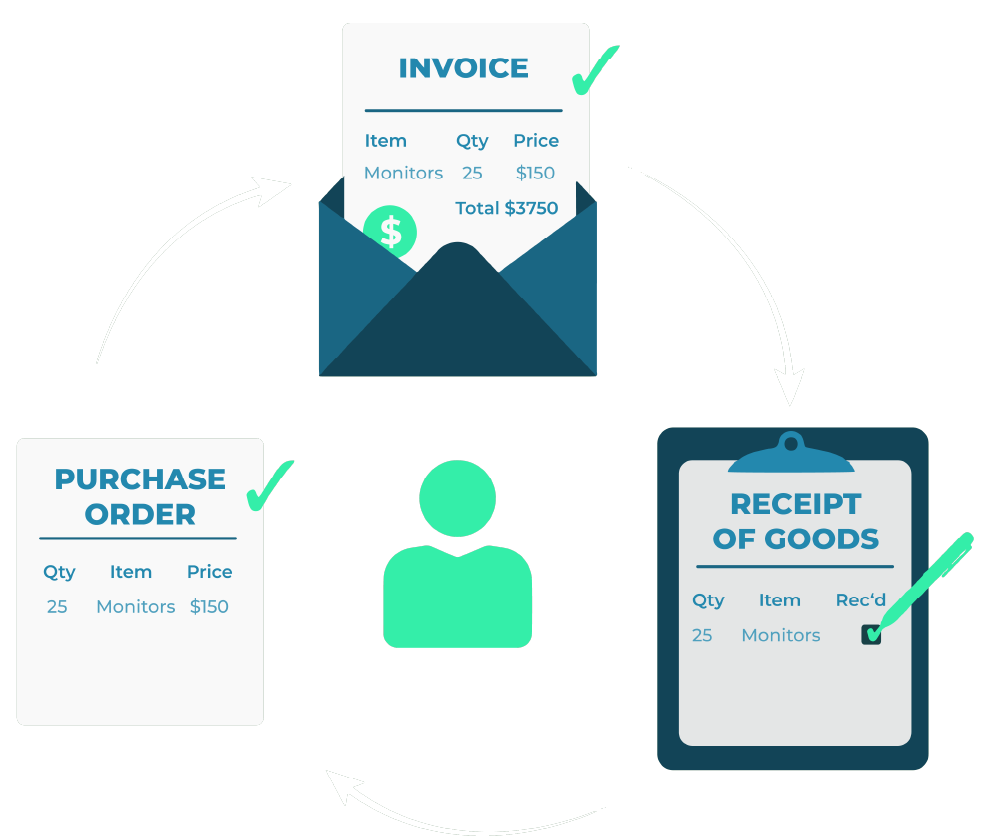
Automated three-way matching for XInvoice processing — invoice, purchase order and receipt of goods matched automatically by DocBits

What Your Team Gains — From Day One

Your team stops processing and start deciding. DocBits handles what’s routine — your team steps in only when a real decision is needed. No manual data entry, no chasing missing information.

Errors get caught before they become problems. Every invoice is reviewed for issues before it touches your ERP — flagged immediately, not discovered during an audit or a supplier dispute.

Full visibility, no manual work. Every invoice — where it is, what happened to it, who approved it — visible at any time. You stay in control without doing the work.

Up to 80% lower processing costs. Less manual work, fewer errors, faster approvals — across manufacturing, distribution and services.

The best: Your invoice stream isn’t only XInvoices. DocBits handles all formats — ZUGFeRD, PEPPOL, standard PDFs, scanned paper — in the same workflow. One platform, one process, no manual sorting.

DocBits, trusted by 200+ companies around the world

Feel free to challenge us with your documents